Obsidian Publish Free with Digital Garden plugin
The Obsidian Digital Garden Plugin is a free and open source publishing tool for Obsidian.
Publish your notes directly from Obsidian to the internet. While feature packed, it is highly configurable and hackable. Enable and disable features on a per-note basis. Use it as a full fledged digital garden or as a simple note sharing solution.

- Getting started: https://dg-docs.ole.dev/getting-started/01-getting-started/
- Download and install the community plugin Digital Garden in Obsidian.
- Create a Github repo called
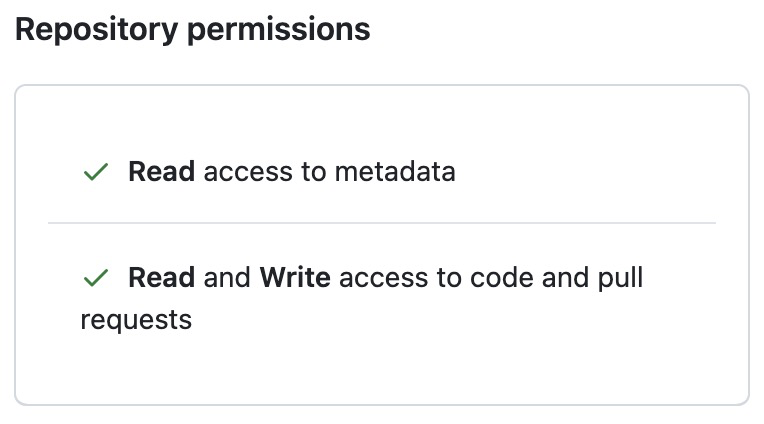
obsidian-publishusing this template https://github.com/oleeskild/digitalgarden - Create a fire-grained access token to your GitHub Account
- Open Obsidian and the settings for "Digital Garden" and fill in your GitHub username, the name of the repo with your notes which you created in step 3, and lastly paste in your token.
- Change your configuration in the plugin settings
- Publish a note using shortcut
Command + P->Digital Garden: Publish Single Note
- Notes:
- Set the home page:
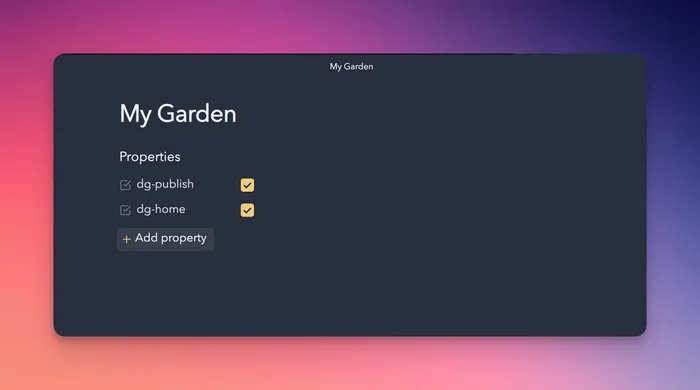
- The dg-home setting tells the plugin that this should be your home page or entry into your digital garden. (It only needs to be added to one note, not every note you'll publish).
- The dg-publish setting tells the plugin that this note should be published to your digital garden. Notes without this setting will not be published. (In other terms: Every note you publish will need this property.)
- Set the home page:
---
dg-publish: true
dg-home: true
---
- Themes:
- Preview: https://publish.obsidian.md/hub/02+-+Community+Expansions/02.05+All+Community+Expansions/Themes/Abyssal
- or Obsidian > Settings > Appearance > Theme > Manage
- Favorites:
- Preview: https://publish.obsidian.md/hub/02+-+Community+Expansions/02.05+All+Community+Expansions/Themes/Abyssal
- Note specific settings:
dg-publish: true
dg-home: true
dg-pinned: true

dg-metatags:
 description: "Sharing knowledge, tips, and perspectives in simple notes. My digital notebook of knowledge, ideas, and useful tips—shared openly to spark learning and curiosity"
 "og:title": "The Present Notes"
 "og:image": "https://images.unsplash.com/photo-1589884629000-60c572c6ba7a?q=80&w=2340&auto=format&fit=crop&ixlib=rb-4.1.0&ixid=M3wxMjA3fDB8MHxwaG90by1wYWdlfHx8fGVufDB8fHx8fA%3D%3D"

dg-permalink: "mynote"
dg-permalink: "category/2022/mynote/"
dg-path: "Advanced/Features.md"
dg-hide: true
dg-hide-in-graph: true
dg-content-classes: cards #set custom classes to the body tag for your published notes